
CS Float Values Explained: What They Are & How to Check

Every skin in CSGO and CS2 has a level of wear that affects how it looks in-game. This wear is measured by a numerical quantity called a CS float value, which ranges from 0.00 to 1.00.
The closer your skin’s float is to 0, the newer and cleaner it appears. As the float moves toward 1, the skin shows more scratches and looks older.
What is a CS Float Value?
A CSGO float value is a decimal number that represents the condition of a skin. Where stickers show their wear as a percentage, skins use these float values, which are a more accurate way to assess wear.
Every skin in CS2 and CSGO has a float value, with just one exception: this concept doesn’t apply to default weaponry, since they don’t have a skin.
If you’re interested in exploring or trading CS skins, third-party marketplaces such as SkinsLuck offer a platform to trade your skins or drops.
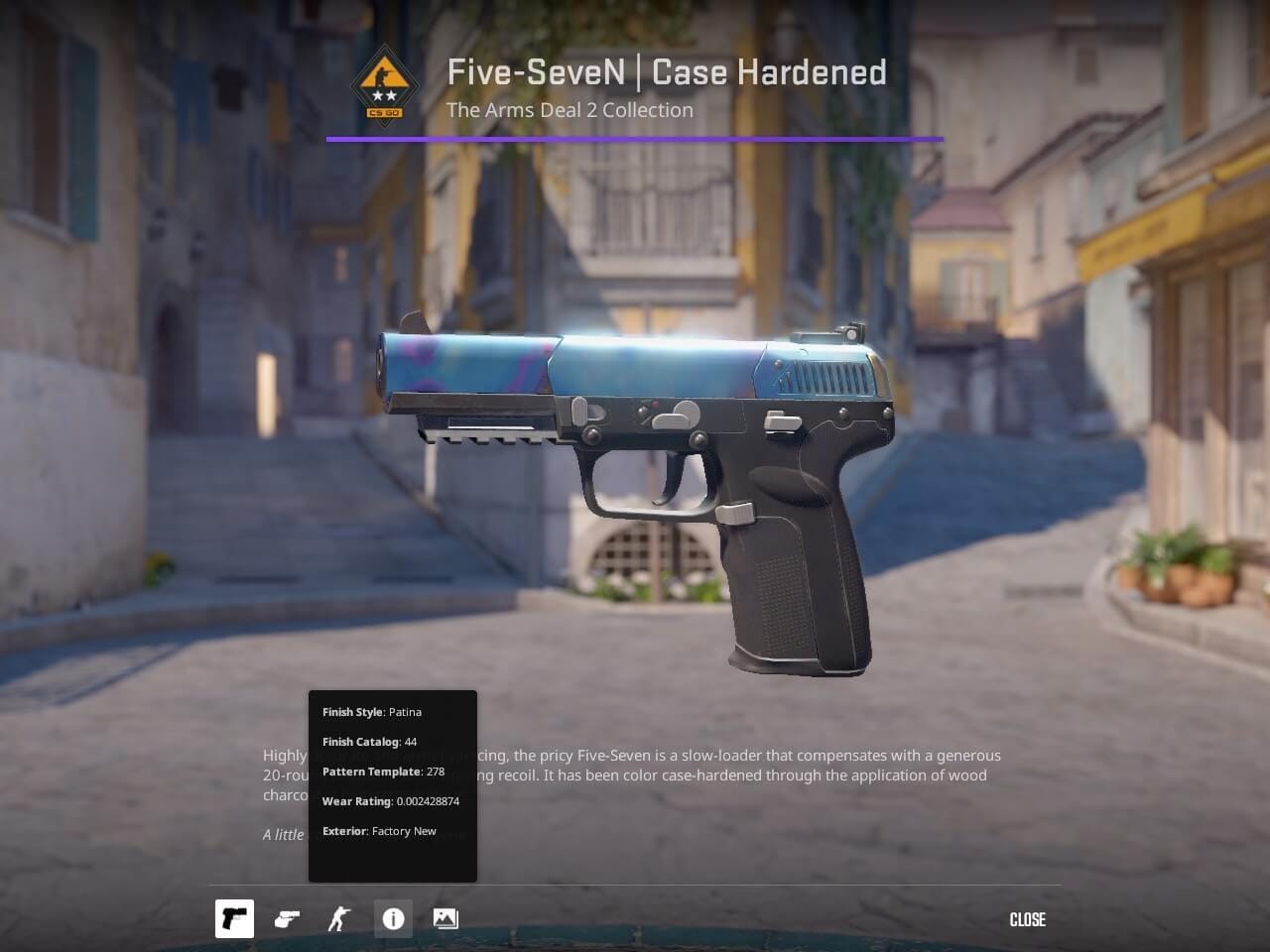
You can see up to nine decimal places of a float value in the Steam client or in-game, making almost every skin in CS2 one of a kind.
External tools can show you more decimals, but they are not precise. This is because float is stored as a 32-bit single-precision floating-point number in CS2, the same as it was in CSGO, which gives around seven digits of precision.
For some skins, the float value can be capped to a specific range. For example, in many knives, including dopplers, gamma dopplers, and fades, the float value is capped to a maximum of 0.08. It means that its float value
How CS2/CSGO Float Value Works?
This CS2 float value is assigned to the skin when it is generated through crafting, unboxing, or a drop, and it stays fixed.
This has been a common myth, especially among new players, who often believe that skins lose their condition over time, but that’s not how it works. You can use the skin for years without worrying about it losing wear.
And the same goes the other way. If you unbox a skin that has a high float, there is no way to improve its float. It is not possible to polish the skin so that the wear marks go away. That is also not how float works.
Now that the importance of floats has become apparent, it is easy to guess that the float value affects the price of the skin as well. As a rule of thumb, lower float means the skin will be more expensive, and a gun that looks older will be cheaper.
It also does not boil down to just looks, but carries other significance for trade-ups as well. There are exceptions, where a very high float fetches a far higher price than lower floats.
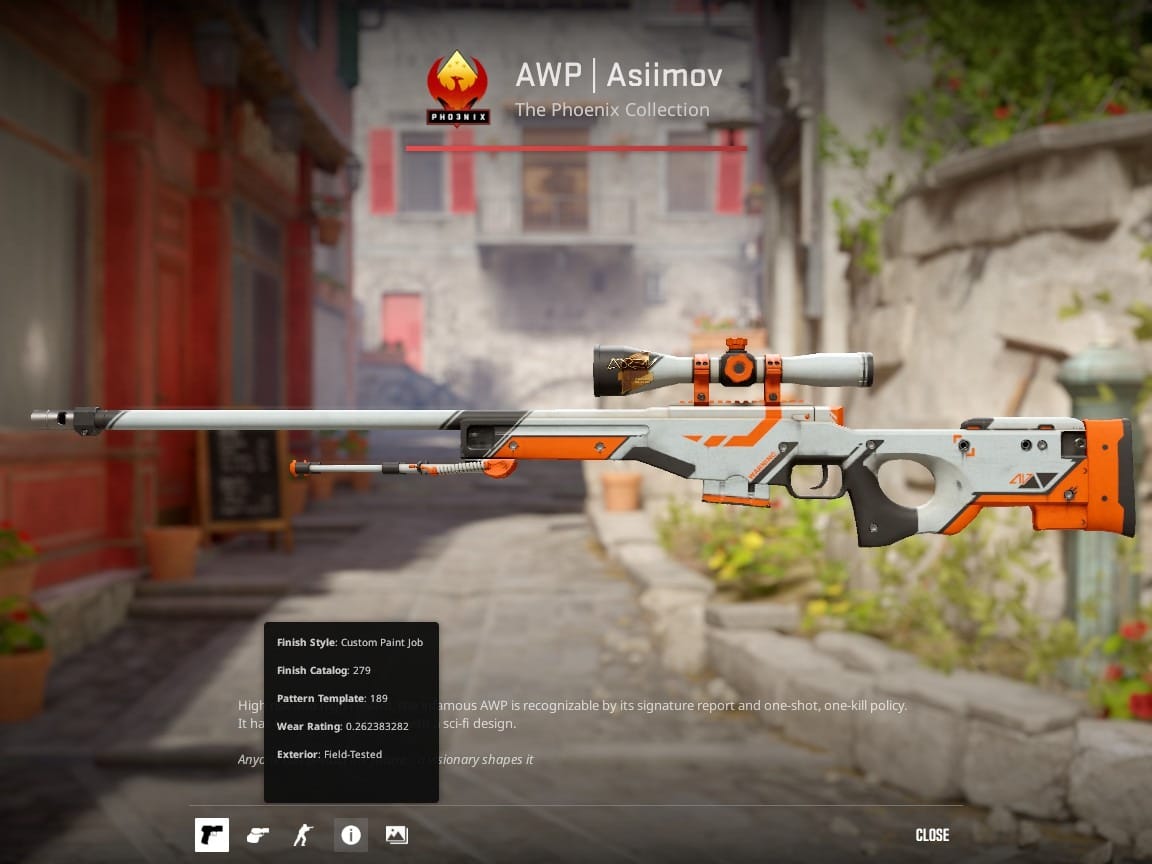
For example, an AWP Asiimov with a float exceeding 0.97, also called a ‘Blackimov’ features a black scope. The Blackimov goes for over four times the value of a regular battle-scarred AWP Asiimov.
CSGO and CS2 Skin Wear Levels Explained
In both CSGO and CS2, every skin can be categorised under one of five official wear levels. These categories make it easier to estimate how the skin will appear and how it’s likely to be valued on the market.
Factory New (0.00 - 0.07)
Factory New is as immaculate as the skin gets. The CSGO float range starts from 0 and goes up to 0.07. This condition is the best as it gets, and it is generally the most sought-after. There are barely any scratches on the skin, and the color appears strikingly bright, with almost no blemishes.
Minimal Wear (0.07 - 0.15)
Minimal Wear skins feature light scuffs or micro-abrasions, often not visible easily. The Minimal Wear is the second-best condition you can get your skin in, ranging from 0.07 onwards till 0.15.
Field-Tested (0.15 - 0.38)
Field-Tested is the most common condition seen in trading markets. In most skins, Field-Tested is where the scratches become moderately visible.
Low float field-tested skins are still relatively cleaner, but the lower-end field-tested versions come with a lot of scratches. However, some patterns, especially bright or metallic ones, still look attractive in this condition.
Well-Worn (0.38 - 0.45)
Well-worn skins are visibly aged. Paint might be faded, and wear is more pronounced around the edges. While they’re not in the best condition, some people may prefer the well-worn version on certain skins for its rugged look.
Battle-Scarred (0.45 - 1.00)
Battle-Scarred skins are heavily deteriorated. The finish is often stripped away along large portions of the edges and may appear darkened or almost black on certain skins. The float ranges from 0.45 to the maximum float value, which approaches 1.00.
Why Float Values Matter
It should be abundantly clear by now that the float CS2 number not only directly impacts the appearance of a skin but also the price tag associated with it. Float values give a more accurate indication of the skin's condition, and it’s not just the condition that makes the price change.
Skins belonging to the same condition can still be significantly different in price. A low-float Factory New skin with multiple zeroes after the decimal is far more valuable than a 0.06 Factory New, despite the two looking almost identical to the untrained eye. While the visual difference may be minimal, the float value itself carries significant weight, making it a crucial factor every trader should understand.
How to Check CSGO/CS2 Float Values
There are a multitude of ways that you can choose from to check your CS2 float or CSGO float values of skins, depending upon the resources you have available. It is pretty easy once you know where to look. You can do it directly in-game or with an online float checker tool.
Check the Float Value In-Game
In CS2:
- Open your Inventory.
- Right-click on the skin you want to inspect.
- Choose Inspect from the menu.
- Click on the “i” icon, which stands for info
- The value next to “Wear Rating” is the float value of the skin.
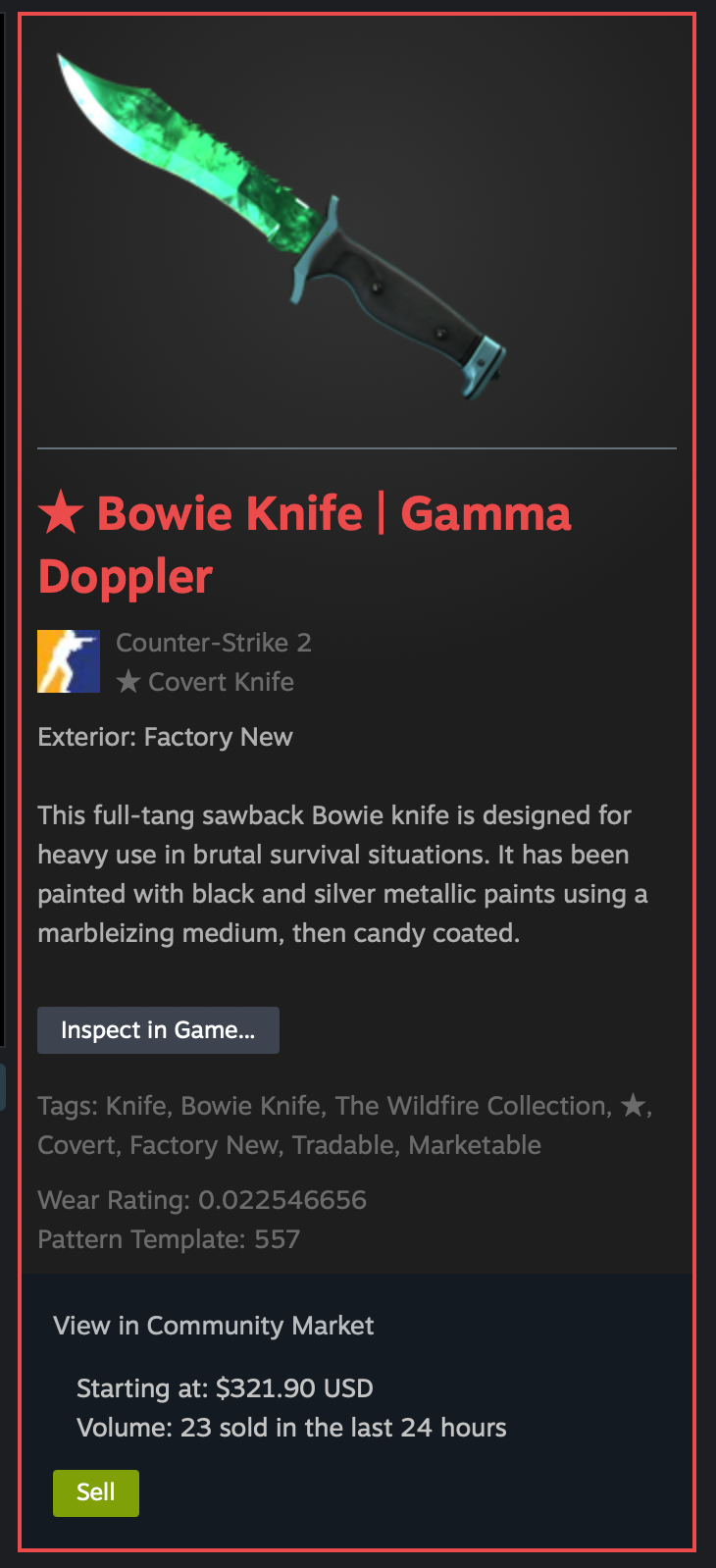
While the interface is newer in CS2, the steps to check the float are the same as CSGO. And thus, just like CSGO, you can also inspect the skins directly from the Steam client. To do that, all you need to do is go to the skin and click on the ‘Inspect in Game…' button. It will prompt you to launch the game, and you will see the skin directly once it launches.
Use an Online Float Value Checker
Online float checkers CS2 are third-party tools that read the float data from Steam’s public inventory. A float checker is especially useful for checking skins when you are not on your PC.
Here’s how to use a third party to check float:
- Right-click a weapon skin on the Steam Market and select Inspect in Game.
- Copy the Inspect Link.
- Paste it into a float-checking website.
- A CS2 float checker will display the skin’s float, pattern index, and sometimes a high or low rank among all known versions of that skin.
Popular float-checking websites include CSFloat, Buff163, and CSTrade. Always make sure you’re using a legitimate site since fake ones may attempt to phish your Steam data.
Top Tips for CS Float Trading and Selling
- It is imperative to verify the float of all skins before you buy, sell, or trade CSGO skins. Floats are often easily overlooked, but can easily help you profit while trading or selling.
- Include the float in your listing title or description. Low-float items tend to attract collectors and sell faster, or even fetch you a better price.
- Don’t overpay for negligible differences. The visual gap between 0.05 and 0.06 might be imperceptible.
- Watch for float extremes. Extremely low or high floats can fetch a premium price. Sometimes, an ordinary-looking float can also fetch a higher price from collectors if it resembles a significant date..
- Compare across marketplaces. Sites like Buff163 and SkinPort may value floats differently due to regional preferences.
- Many skin sites, like BUFF163, filter items using a range of floats. For example, the same skin of float 0.179 and 0.181 can differ in prices because the first one falls in the 0.15-0.18 range, but the latter falls in the 0.18-0.21 range.
- Pay attention to float caps. Some skins, like the AWP | Asiimov, are capped to a lower bound of 0.18, making even 0.19 float variants extremely rare and deserving of an overpay.
- Remember that rarity doesn’t guarantee a higher price. Minimal Wear knives are sometimes listed at a higher price due to their rarity, but are not always sold at that price. It is extremely important to verify the sales before buying or trading.
CS Float Values - Final Thoughts
It has become crystal clear that float plays a pivotal role in the price and the look of a skin. While it is not too complex to understand, a clear grasp can help you make a better deduction about the true price of a skin.
While the five wear categories can help you get an idea of the skin’s condition, float values help you get more in-depth about the exact wear and overall quality of the item. Thus, it becomes essential to check float values before trading, selling, or buying skins. By mastering float values, players can make smarter decisions, get better deals, and fully understand what makes certain skins more desirable than others.
Counter-Strike Float - Frequently Asked Questions
What is float in CS?
Float in Counter-Strike refers to a numerical value that depicts the amount of wear there is on a particular skin. This number ranges from 0 to 1, and is stored as a 32-bit decimal value, making it accurate up to 7 decimal places.
What does float value mean in CSGO/CS2?
The float value in CSGO/CS2 depicts wear. A value closer to 0.00 means that the skin is very new and has no scratches. Similarly, a value closer to 1 means that the skin is very old and has a lot of scratches.
Can you change a CS float value?
No, it is simply not possible to change the CS float value. Using your skin doesn’t make the float value increase, nor is there a way in CS2 that you can improve the float value. Once the float value is assigned as the skin comes into existence, it can’t be changed.
Do float values apply to all weapon types?
Yes, float value applies to all weapon types. The only weapons where float values don’t apply are the default skins, which don’t have a skin to show wear. Vanilla knives do show a float value, but the concept does not apply to them, and their prices are also unaffected.
Does float affect gameplay or performance at all?
No, float value does not affect your gameplay or performance at all. Both 0.01 and 0.9 float uses the same model and texture files, so your performance remains unaffected with varying float values.
What is the best way to check CS float values?
The best way to check float values is through the Steam client. In a recent update, Valve has now put the float value on display in Steam itself. So you don’t need to launch the game or go to an external site to check float values.